KaOS Dinit 2026.06 RC
It is with great pleasure to present to you a Release Candidate KaOS ISO that is fully Dinit-based
For those interested in the reason why all these changes, please read Systemd and the future of KaOS.
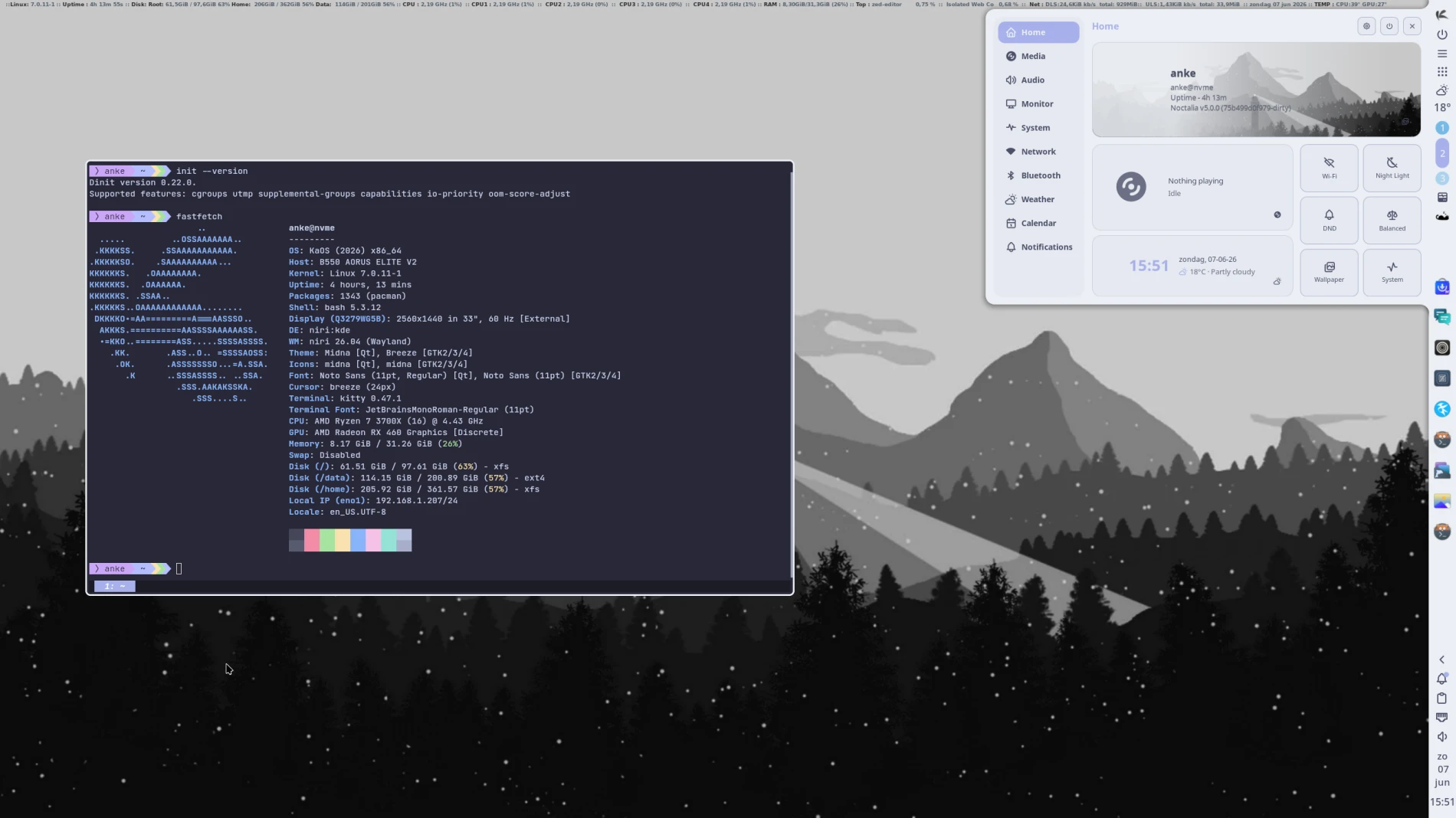
KaOS Dinit
Latest News for this ISO
A move away from systemd as init system is completed. KaOS now uses dinit > turnstile > seatd for the system startup, seats & services. This does not mean the system is systemd free, udev & tmpfiles of systemd are still in use and will be used for the foreseeable future. Elogind is in use, though not for system login, but purely for a functional polkit.
A new displaymanager is also in use, greetd with tuigreet has replaced sddm. Greetd fully integrates with seatd, so is a better fit for KaOS in the new setup.
Before anything else, those wishing to look at KaOS in VirtualBox, make sure to understand that VirtualBox does not support Wayland yet, it is still an X11-only app. The only way to workaround this is to use 3d in your settings. Plus VBoxVGA (also X11 only) can’t be used for display, you will need to use VMSVGA, and in CLI set the 3d option:
VBoxManage modifyvm <vm_name> --accelerate3d on. If this is not an option for you, please do not try to use KaOS in VirtualBox, it cannot boot. You will have to wait for VirtualBox to come with Wayland.
You will not find Plasma or Kwin on this ISO, though KaOS has always been a KDE/Plasma only distribution.
Instead, you will find a Niri/Noctalia based system. Work is now very much complete to move to Dinit, see the above linked news article as to why Plasma is not the best option when moving away from systemd.
Using Niri with the Noctalia shell has proven to be a nice option. Using these means, KaOS can stay a Qt focused distribution. This ISO is still GTK free, still ships QT/KDE based applications.
Plasma 6 is still fully available in the repositories.
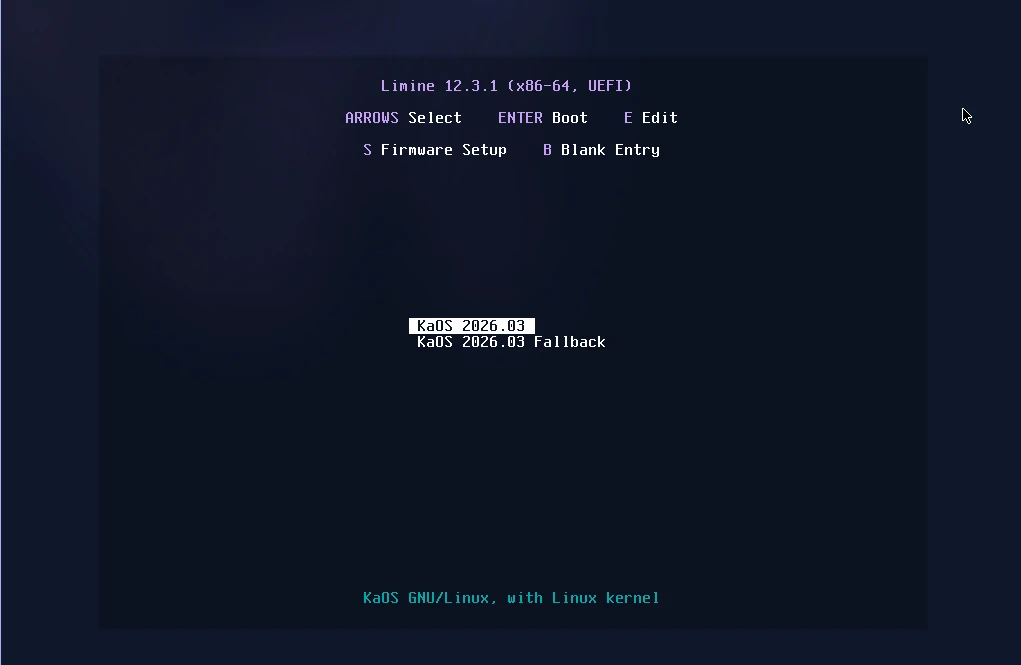
With this ISO, Limine is now the default bootloader. Other options for UEFI installs are still available in Calamares. Systemd-boot is no longer an option.
For the desktop shell, the latest niri (26.04) and Noctalia (v5 alpha), are included. All built on Qt 6.11.1. To complete this setup, options like cliphist, brightnessctl, ddcutil, pavucontrol-qt, qt6ct and xwayland-satellite are installed.
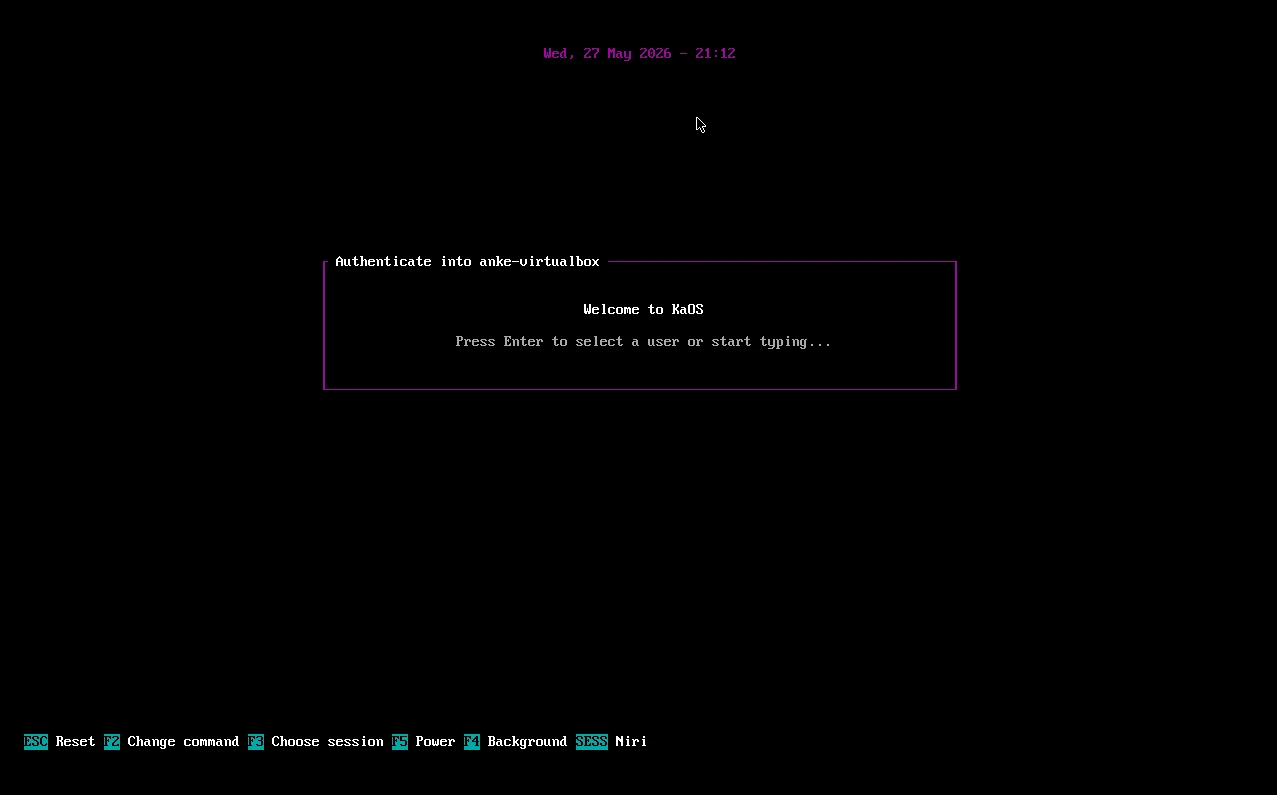 Greetd login-manager with tuigreet
The installer, Calamares, is now fully ready to run on a pure Wayland system. Changes were needed for the QML modules to have the option to input text again (as is needed in the user creation module, for example).
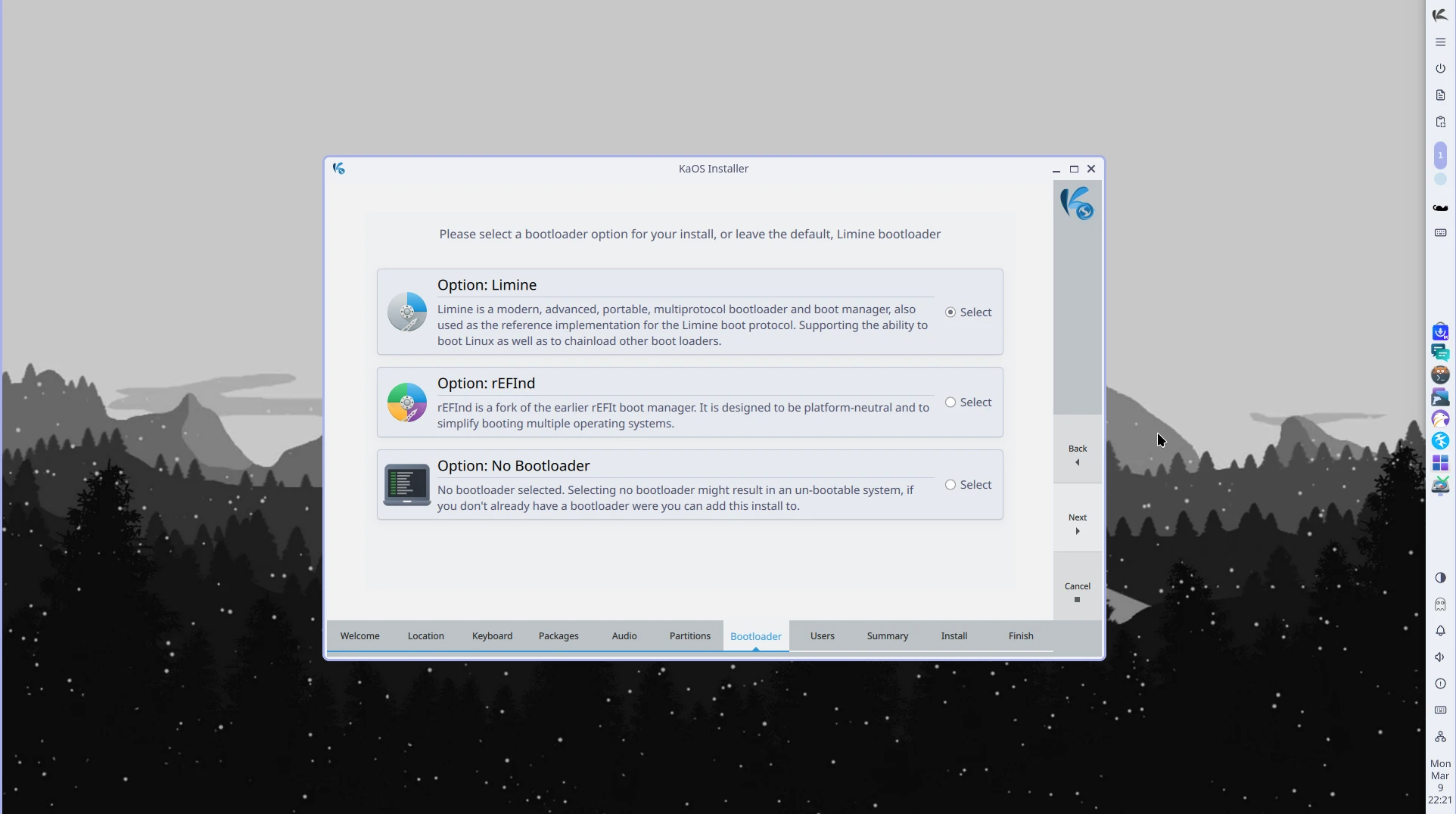 Calamares Bootloader selection
Updates to the base of the system were numerous and include a new Coreutils 9.11, Libgcrypt 1.12.2, Nano 9.0, Curl 8.20, OpenCV 4.13.0, Poppler 26.06.0, GStreamer 1.28, Pipewire 1.6.6, kernel moved to Linux 7.0.11, Dinit 022.0, ZFS 2.4.2, CMake 4.3, OpenSSH 10.3, Bash 5.3, Protobuf 35 and Mesa 26.1.2.
Among the new packages included are dinit, turnstile, greetd, tuigreet & corrosion. And starship, a minimal, blazing-fast, and infinitely customizable prompt for any shell, is added to replace powerline.

Common Notes
A new Phonon sound backend is in use. So far, VLC was used, but there is no Qt6 porting for VLC yet. Using phonon-mpv as default now, gives a fully Qt6-ready backend.
The automated partitioning option in the installer (Calamares) offers the use of all popular file-systems, so no need to use manual partitioning to be able to choose XFS, EXT4, BTRFS, or ZFS.
Big thanks goes to YourHostingSolutions for not only providing a mirror, but also providing a server for KaOS. With the discontinuation of Fosshost, a new server was sorely needed.
The Linux kernel has all the needed ucode built-in for a fully automated Early Microcode update.
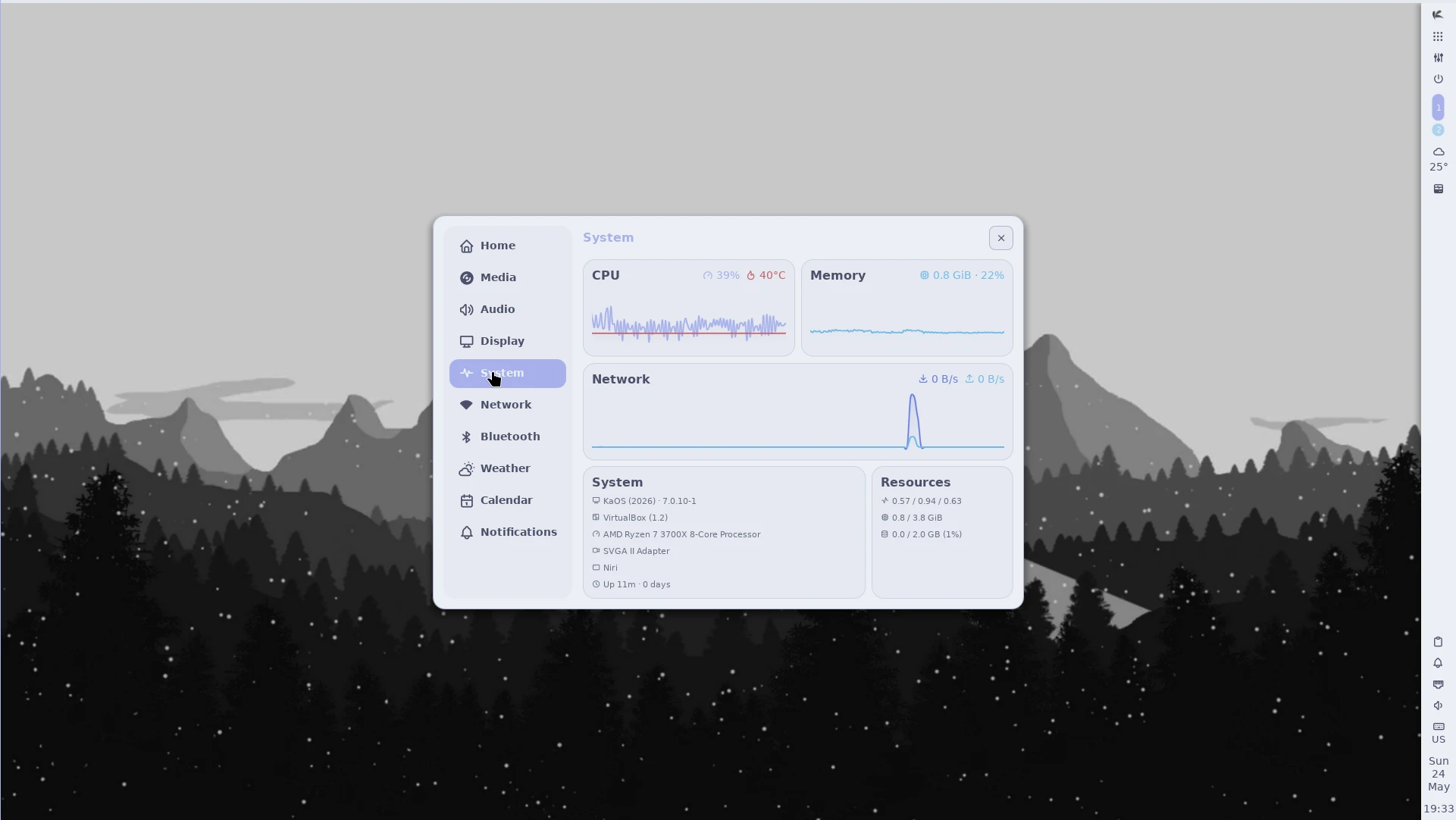
KaOS’s creation Croeso (Welsh for welcome) for helping with configuring a new installation is included. It will run on the newly installed system and offers to adjust some 15 commonly used settings, includes a custom Wallpaper selector, distribution info, and the option to select packages to install from six different groups. It is written in QML and fits well with the Welcome application used in the Live system. The latter includes an Installation Guide.
This ISO uses the CRC and finobt enabled XFS file-system as default. CRCs enable enhanced error detection due to hardware issues, whilst the format changes also improves crash recovery algorithms and the ability of various tools to validate and repair metadata corruptions when they are found. The free inode btree does not index used inodes, allowing faster, more consistent inode allocation performance as file-systems age.
The artwork includes a custom icon theme for light themes. Midna creates a complete, unified look from boot-up all the way through logout.
There is an option to verify the authenticity of downloaded KaOS ISO files through GPG signature verification, see the Download page for further details and instructions.
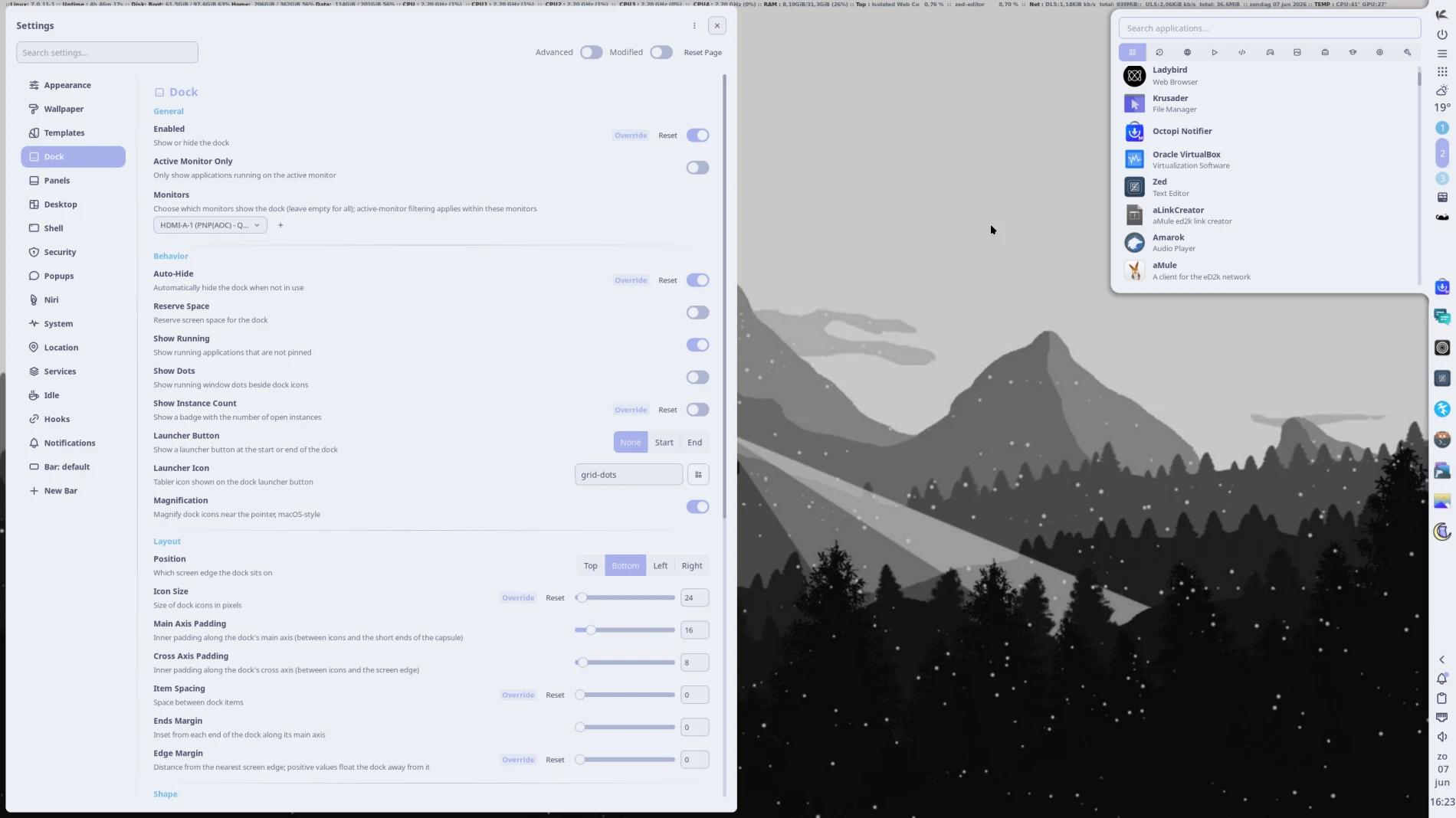 Noctalia Settings
Known issues:
- Installing on RAID is currently not possible
- For BIOS installs, XFS filesystem is not an option, GRUB fails to install with latest XFS
- VirtualBox ONLY supports Wayland when 3d is enabled, thus only VMSVGA can be used
- Polkit is not fully ported to Turnstile/seatd yet, so some privelege escalations options will not work.
To create reliable installation media, please follow the instructions from the Download page. KaOS ISO’s do not support Unetbootin, Ventoy or Rufus, and DVDs need a burn speed no higher than 4x.